
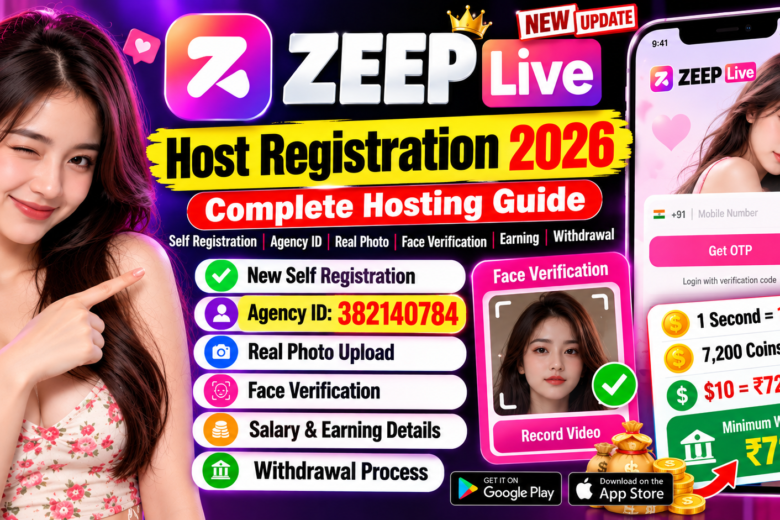
ZEEP Live Host Registration 2026 – How to Create ZEEP Live Hosting Yourself
If you are looking for a complete guide on ZEEP Live Host Registration 2026, this article will explain the updated registration process step by step.
Previously, users who wanted to become a ZEEP Live host generally had to contact an agency and provide their name and mobile number. The agency would then create the hosting account and provide the required login details.
Now, according to the updated registration process described in the video, eligible users can start their ZEEP Live Hosting registration themselves through the app using their mobile number and an Agency ID.
In this guide, we will explain how to register as a ZEEP Live host, upload your real photo, complete face verification, enter the Agency ID, wait for approval, check earnings and request withdrawals.
ZEEP LIVE Host Registration 2026
Download the ZEEP LIVE App and complete your host registration.
⬇️ DOWNLOAD APP 🔗 USE AGENCY IDWhat Is ZEEP Live?
ZEEP Live is a live communication and one-to-one calling platform where approved hosts can interact with users through the application’s available calling and live features.
To become a host, you need to complete the registration and verification process required by the platform.
The registration process may include mobile OTP verification, profile information, a real photograph, agency information and face verification.
Note: ZEEP Live requirements, earning rates, withdrawal methods and eligibility rules can change. Always check the latest information shown inside the application before registering.
ZEEP Live Host Registration 2026 – New Update
The latest registration process described in the supplied video introduces a self-registration method.
Instead of depending completely on an agency to create the host account, eligible users can begin the process directly from the ZEEP Live application.
The general process is:
- Download the ZEEP Live app.
- Open the application.
- Select login with verification code.
- Enter your mobile number.
- Verify the number with OTP.
- Create your host profile.
- Upload your real photograph.
- Enter your personal details.
- Enter the required Agency ID.
- Add your experience.
- Complete mobile verification.
- Record the required face-verification video.
- Submit your application.
- Wait for the account review and approval.
Requirements for ZEEP Live Host Registration
Before starting your registration, keep the following information ready:
- Active mobile number
- Real profile photograph
- Name
- Date of birth
- Required gender information
- Agency ID
- Experience details
- Phone for OTP verification
- Phone camera for face verification
- Bank/payment details for withdrawal after approval
Make sure the information you provide is accurate and complies with ZEEP Live’s current registration rules.
How to Register for ZEEP Live Hosting
Step 1: Download the ZEEP Live App
First, download the ZEEP Live application from the official app store or the official download source available for your device.
Install the application and open it.
Step 2: Select Login With Verification Code
After opening the application, go to the login section.
Select the option for Login via Verification Code.
Choose your country code.
For users in India, select +91 and enter your mobile number.
Then tap Get OTP.
Enter the OTP received on your phone and continue.
Step 3: Use a New Number If Required
If your mobile number is already connected with an existing ZEEP Live host account, do not try to create another account unless the platform specifically permits it.
For a new hosting application, use a mobile number that meets the current ZEEP Live registration requirements.
Step 4: Upload Your Real Photo
After successful mobile verification, you may see the profile creation screen.
Tap the edit or pencil icon and upload your own real photograph.
For better verification:
- Use a clear photograph.
- Make sure your face is visible.
- Use good lighting.
- Avoid excessive filters.
- Do not upload another person’s photograph.
- Follow the photo requirements displayed by ZEEP Live.
Using inaccurate or misleading information can cause verification problems.
Step 5: Enter Your Personal Details
Next, enter the information requested by the application.
This can include:
- Name
- Date of birth
- Age
- Gender
- Other profile information
Review your information carefully before submitting it.
Step 6: Enter ZEEP Live Agency ID
The updated registration process requires an Agency ID.
According to the information in the supplied video, the Agency ID mentioned is:
However, please verify the Agency ID before registration because agency codes can change or become inactive.
Enter the valid Agency ID and tap Continue.
Step 7: Enter Your Experience
The application may ask how much experience you have working with similar live or calling applications.
If you have previous experience, enter the appropriate information.
If you are completely new, enter the value requested by the application for a new user or beginner.
Step 8: Verify Your Mobile Number
Enter your phone number if requested.
Tap Get OTP and wait for the verification code.
Enter the OTP and complete the mobile verification process.
Step 9: Complete ZEEP Live Face Verification
One of the important parts of the updated ZEEP Live registration process is face verification.
The application may ask you to record a short verification video.
During the verification:
- Keep your face inside the indicated area.
- Make sure your face is clearly visible.
- Use sufficient lighting.
- Keep the camera steady.
- Follow the instructions displayed on the screen.
- Use your own face for verification.
After recording the video, tap Submit.
Your application will then go through the platform’s review process.
ZEEP Live Host Approval
After completing the registration and face verification, your hosting application may enter a review stage.
According to the supplied video, the host account may be reviewed within approximately 24 hours.
However, this is not necessarily a guaranteed processing time. Approval can vary depending on verification, account information and the platform’s current review process.
Once your account is approved, additional host features should become available according to your account eligibility.
ZEEP Live Earnings and Salary Information
The supplied video describes a coin-based earning system.
According to the information provided in the video:
- 1 second = 1 coin
- 7,200 coins = $10
- $10 was described as approximately ₹720
- Minimum withdrawal was stated as ₹720
These figures are based on the information in the video and may change over time.
Exchange rates, coin conversion, host rates and withdrawal limits can be updated by the platform. Therefore, always check the current earning and withdrawal information inside your ZEEP Live account.
ZEEP Live Minimum Withdrawal
According to the supplied video, the minimum withdrawal amount is:
₹720
Once the account reaches the required withdrawal balance, the user can request a withdrawal using the available payment method.
The actual minimum withdrawal amount should always be verified inside the latest version of the ZEEP Live application.
How to Withdraw Money From ZEEP Live
After your host account has been approved and you have reached the required balance, you can check the withdrawal section.
The general process described in the video is:
- Open your ZEEP Live account.
- Go to My Earnings.
- Open the withdrawal section.
- Select your country.
- Add the required bank details.
- Check all payment information carefully.
- Enter the withdrawal amount.
- Submit the withdrawal request.
- Check the withdrawal status.
Make sure your bank information is correct before submitting a withdrawal request.
Is UPI Withdrawal Available on ZEEP Live?
According to the supplied video, the UPI withdrawal option had been removed because of payment-related issues.
The video describes bank-account withdrawal and another supported payment option as available methods.
However, payment methods can change after application updates. Therefore, check the withdrawal page inside the current ZEEP Live app to see which options are currently available to you.
ZEEP Live Withdrawal Processing Time
The supplied video states that a withdrawal may reach the user’s bank account within approximately 72 hours.
This should be considered an estimated processing period rather than a guaranteed time.
Payment processing can depend on account verification, the selected payment method, the platform and the receiving bank.
Always check the withdrawal status inside your ZEEP Live account.
How to Bind Your Phone Number on ZEEP Live
After your host account is approved, you may need to bind your mobile number before using certain earning features.
The process described in the video is:
- Open the approved ZEEP Live host account.
- Go to My Earnings.
- Find the phone-number binding option.
- Enter your mobile number.
- Request an OTP.
- Enter the OTP.
- Complete the binding process.
The exact menu and button names may change with future ZEEP Live updates.
ZEEP Live Host Registration Tips
Before completing your registration, keep these important points in mind.
Use Your Own Information
Always submit accurate information that belongs to you.
Upload a Real Photograph
Your profile photograph should be genuine and clearly show your face.
Complete Face Verification Carefully
Make sure your face is positioned correctly inside the verification area.
Verify the Agency ID
If you are using an Agency ID, confirm that the code is currently valid before submitting your registration.
Protect Your OTP
Never share your OTP, password or other sensitive account information with unknown people.
Check Withdrawal Information
Before requesting a withdrawal, carefully check your bank details and the payment method available in your account.
Check Current App Rules
Salary rates, coin values, withdrawal limits, payment methods and registration requirements can change.
Frequently Asked Questions About ZEEP Live
Can I create ZEEP Live hosting myself?
If self-registration is available for your account and region, you can start the ZEEP Live host registration process directly through the application.
Is an Agency ID required?
The registration process described in the supplied video requires an Agency ID. Make sure you use a valid and current Agency ID.
What Agency ID is mentioned in the guide?
The Agency ID mentioned in the supplied video is 382140784. Verify the code before using it because agency information may change.
Is face verification required?
The updated process described in the video includes a face-verification video. The exact requirements may depend on the current ZEEP Live registration process.
How long does ZEEP Live approval take?
The supplied video mentions approximately 24 hours for review. Actual processing time can vary.
What is the minimum ZEEP Live withdrawal?
The supplied video states a minimum withdrawal amount of ₹720. Always verify the current minimum shown inside the application.
Can ZEEP Live earnings be withdrawn to a bank account?
According to the supplied video, bank-account withdrawal is available. Check your current withdrawal section for the payment methods available to your account.
Is ZEEP Live UPI withdrawal available?
The supplied video states that the UPI option had been removed. The available payment methods may change, so check the current application.
How long can a ZEEP Live withdrawal take?
The video states that payments may arrive within approximately 72 hours. Actual processing time can vary.
Conclusion
The updated ZEEP Live Host Registration 2026 process provides a way for eligible users to begin their hosting application directly through the application.
The main registration steps include mobile OTP verification, real-photo upload, personal information, Agency ID, experience details and face verification.
After submitting the application, the account goes through a review process. Once approved, users can access the available host features, check their earnings and configure the available withdrawal method.
If you are planning to register for ZEEP Live, always use genuine information and follow the latest instructions shown inside the application.
Important: Salary rates, coin conversion, minimum withdrawal, Agency ID requirements, payment methods and approval rules may change. Always verify the latest information before registering or making any financial decision.
If this ZEEP Live Host Registration Guide helped you, share the article with other users who want to learn about the latest ZEEP Live hosting registration process.