
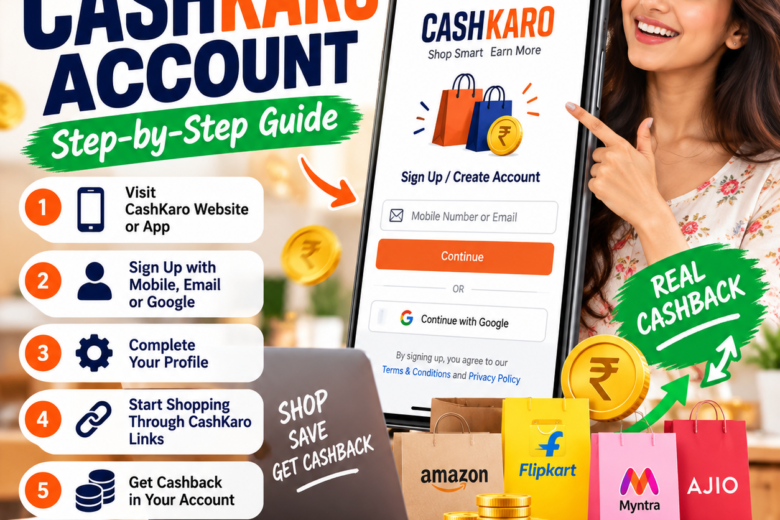
How to Create a CashKaro Account in 2026 – Step-by-Step Guide
Are you looking for an easy way to save money while shopping online? CashKaro is a cashback and coupon platform that lets users discover shopping offers and potentially earn cashback on eligible purchases. In this guide, you will learn how to create a CashKaro account, complete your profile, and start shopping through CashKaro.
What Is CashKaro?
CashKaro is an online cashback and deals platform that connects shoppers with participating shopping websites. Users can explore available coupons, discounts, and cashback offers before making purchases.
Cashback depends on the retailer, the offer terms, and whether the purchase is tracked and approved.
How to Create a CashKaro Account
Step 1: Visit the Official CashKaro Website
Open your browser and visit the official CashKaro registration page:
Sign Up: https://cashkaro.com/join
You can also use the official CashKaro app if it is available for your device.
Suggested image: Add the CashKaro account creation tutorial image here.
Image alt text: How to create a CashKaro account step by step.
Step 2: Enter Your Mobile Number or Email
On the registration page, enter your mobile number or email address and select Continue. Follow the verification or login instructions displayed on the official website.
You may also see an option to continue with Google.
Step 3: Complete the Registration Process
Follow the on-screen instructions to finish creating your account. If verification is requested, use the code sent through the official verification process.
Never share your OTP or password with anyone.
Step 4: Explore Your CashKaro Account
After signing in, explore the available shopping categories, participating retailers, coupons, and cashback offers.
Check the terms of each offer before making a purchase.
Step 5: Shop Through CashKaro Links
Follow these steps to give your eligible purchase the best chance of being tracked:
- Sign in to your CashKaro account.
- Search for the retailer you want to shop with.
- Open the retailer’s page on CashKaro.
- Review the available cashback offer and its conditions.
- Click the relevant shopping or cashback button.
- Complete your purchase on the retailer’s website without disrupting the tracking process.
Step 6: Check Your Cashback Status
Once your purchase is recorded, check the earnings section of your CashKaro account.
Your cashback may initially appear as pending. It can take time for the retailer to confirm the purchase, and returned, cancelled, or ineligible orders may not qualify.
Step 7: Redeem Confirmed Cashback
Once your earnings become confirmed, check the redemption options and minimum requirements shown in your account. Eligible cashback may be redeemable through supported payment methods or gift cards, depending on the applicable terms.
Tips for Using CashKaro Safely
- Always use the official CashKaro website or app.
- Read the cashback conditions before shopping.
- Use eligible coupon codes and offers.
- Avoid switching shopping links or using unlisted coupon codes if doing so could affect tracking.
- Never pay an unofficial person to activate your account or release cashback.
- Remember that cashback is not guaranteed income; it depends on eligible purchases and retailer approval.
Frequently Asked Questions
1. Is CashKaro registration free?
CashKaro advertises free account registration. Review the official terms for the latest conditions.
2. Can I create a CashKaro account using Google?
The official sign-up page provides a Continue with Google option, alongside mobile number or email registration.
3. How can I earn cashback on CashKaro?
Browse a participating retailer on CashKaro, activate the applicable offer, and complete an eligible purchase according to the offer terms.
4. How long does cashback take to arrive?
Tracking and confirmation times vary by retailer and offer. Check the cashback status in your account.
5. Can I withdraw cashback to my bank account?
Eligible confirmed cashback may have bank-transfer or other redemption options. Check your account for current minimum limits and available methods.
Conclusion
Creating a CashKaro account is a straightforward way to explore online shopping deals and cashback offers. Register through the official website, review the offer conditions, and shop through the appropriate CashKaro links to help your eligible purchases track correctly.
Create your account: https://cashkaro.com/join
Disclaimer: This article is an independent educational guide and is not an official CashKaro publication. Features, eligibility requirements, cashback rates, and redemption rules may change. Always verify the latest information on the official website.