
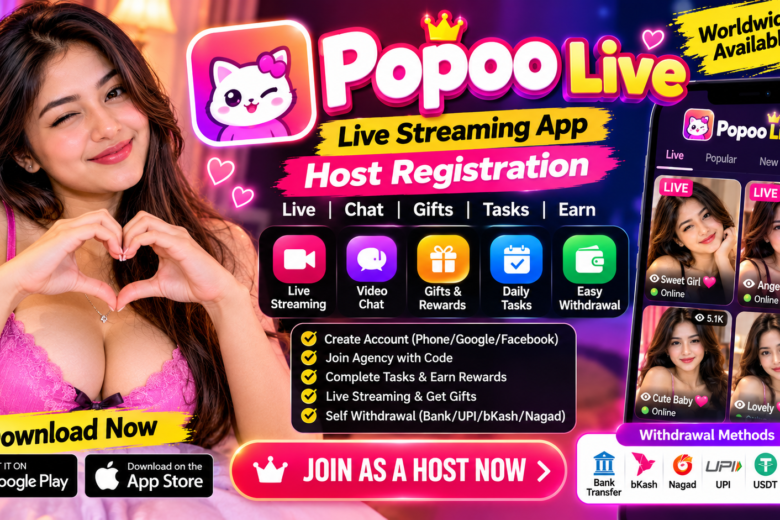
Popoo Live App – Host Registration, Earning, Tasks, Rewards & Withdrawal Guide
Are you looking for a complete guide to the Popoo Live App? In this article, we will explain how to create a Popoo Live account, apply for hosting, join an agency, complete tasks, collect rewards, complete face verification, start live streaming, and check the available withdrawal options.
Popoo Live is a live-streaming and social interaction platform where eligible users can participate in live streaming and interact with other users. According to the information demonstrated in the source video, users from different countries may be able to use the platform, subject to the app’s current availability and rules.
What Is Popoo Live?
Popoo Live is a live-streaming application that allows users to participate in live broadcasts and interact with other users.
The platform includes features such as:
- Live streaming
- User profiles
- Rewards
- Tasks
- Agency system
- Face verification
- Live boards
- Gifts
- Followers
- Withdrawal options
- Referral or invitation features
The exact features, eligibility requirements, reward rates, and payment methods may change depending on the country, account, and current platform policies.
Popoo Live Account Registration
Creating a Popoo Live account is the first step before using the hosting and live-streaming features.
According to the source material, users can create an account using different login methods, including:
- Phone number
The tutorial recommends using a phone number for account creation to make future login easier.
How to Create a Popoo Live Account
Follow these general steps:
- Download the Popoo Live application from an authorized source.
- Open the application.
- Select the available login or registration method.
- Read and accept the applicable terms.
- Register using Google, Facebook, or phone number.
- Enter the required profile information.
- Select your country.
- Confirm your age and other required details.
- Complete your profile.
The source explains that the account setup includes selecting a country and indicates that users must meet the applicable age requirement.
Popoo Live Host Registration
After creating your Popoo Live account, the next step is to apply for hosting if the host program is available to your account.
The tutorial demonstrates using the My Agency section to connect an agency and apply for hosting.
How to Apply for Popoo Live Hosting
The general process is:
- Open Popoo Live.
- Go to your profile.
- Find My Agency.
- Select the option to enter an agency or agent ID.
- Enter the correct agency ID.
- Confirm the agency connection.
- Wait for the account/hosting status to update.
- Check your profile and hosting-related features.
Once the agency connection is completed, the account may become eligible for the applicable host features.
Important
Only use an agency code or agency ID obtained from a trusted and authorized source. Do not share your password, OTP, or sensitive account information with unknown individuals.
Popoo Live Agency
The My Agency section is an important part of the hosting system described in the tutorial.
After joining an agency, users can check their agency connection through their account.
The agency system may also be associated with host support, tasks, levels, and other platform activities.
Agency requirements and benefits can vary, so users should confirm the current terms before joining.
Popoo Live Host Level
The source describes different requirements for male and female accounts regarding live access.
According to the demonstrated account system, male users may need to reach a particular level before accessing live features, while female accounts may have different requirements.
Because these rules can change, users should check the latest requirements shown in their own Popoo Live account.
Popoo Live Rewards
One of the main sections available in the application is Rewards.
The Rewards section can contain different tasks and reward opportunities depending on the account.
The source describes a Host Activities or similar section where users can check the applicable activity chart and requirements.
Possible reward-related activities may include:
- Live streaming
- Completing daily tasks
- Reaching targets
- Receiving gifts
- Increasing followers
- New-host activities
- Referral activities
Not every reward is necessarily available to every account.
Popoo Live New Host Rewards
The source describes additional rewards for new hosts, including an example of a first-day bonus.
However, reward amounts and eligibility can change, so users should check the current Rewards section rather than relying on an old fixed amount.
New hosts should complete their profile and required verification as early as possible so that eligible tasks can become available.
Popoo Live Tasks
Tasks are an important part of the Popoo Live system.
Depending on your country and account, you may see different tasks.
The source specifically explains that some tasks can be country-specific and may only remain available for a limited period.
For this reason, check the task section regularly.
How to Complete Popoo Live Tasks
A typical process is:
- Open the Rewards section.
- Check your available tasks.
- Read the requirements carefully.
- Complete the required activity.
- Return to the Rewards section.
- Check whether the task has been completed.
- Collect the available reward if applicable.
Popoo Live Face Verification
Face verification is an important part of the Popoo Live hosting process described in the source.
The tutorial explains that a user should use their own photo and complete the face-authentication process.
How to Complete Popoo Live Face Verification
Follow these steps:
- Open the Face Verification or Face Authentication section.
- Select the option to start verification.
- Upload your own clear photo.
- Make sure the photo belongs to you.
- Follow the on-screen verification instructions.
- Look toward the camera.
- Follow the required head movements.
- Complete the verification.
- Wait for the verification result.
The source specifically warns that the uploaded photo should be the user’s own photo and that another person should not appear in the verification image.
Important Face Verification Rule
The source also describes face verification as a one-person verification process and warns against attempting to verify multiple accounts using the same person.
Always follow the current Popoo Live identity-verification rules.
How to Go Live on Popoo Live
After completing the required account setup and verification, eligible users can access the live-streaming section.
According to the tutorial, users can access the Live option from the main interface and then start their own live board.
Popoo Live Streaming Steps
- Open Popoo Live.
- Go to the main interface.
- Select the Live option.
- Choose the applicable live category.
- Read and accept the required agreement.
- Select Go Live.
- Start your live session.
- Interact with viewers.
- Build followers and engagement.
The tutorial also recommends having headphones available because they can make conversations easier to hear during live sessions.
Popoo Live Gifts and Followers
Gifts and followers are important parts of the live-streaming experience described in the source.
Hosts can interact with viewers, build relationships with their audience, and encourage viewers to follow their profile.
The source emphasizes increasing followers and receiving gifts as part of the earning process.
To build an audience:
- Go live regularly.
- Talk with viewers.
- Welcome new users.
- Encourage genuine interaction.
- Build your follower base.
- Maintain a consistent streaming schedule.
- Follow Popoo Live community rules.
Popoo Live Earning
Popoo Live may provide different reward and monetization opportunities for eligible users.
The source describes income-related activities such as:
- Completing tasks
- Live streaming
- Receiving gifts
- New-host rewards
- Referral activities
- Host-level rewards
However, earnings are not guaranteed. Actual results can vary based on account status, activity, audience engagement, country, tasks, gifts, platform rules, and other factors.
Users should always check the current reward information displayed in their own account.
Popoo Live Withdrawal
The source describes a withdrawal section where eligible users can request payment after reaching the applicable minimum requirement.
The minimum withdrawal amount and exchange rate can vary depending on the account and country.
Before requesting a withdrawal, check:
- Minimum withdrawal amount
- Available balance
- Country
- Payment method
- Processing requirements
- Applicable fees
- Account information
Popoo Live Withdrawal Methods
According to the source, different countries may have different withdrawal methods.
The tutorial mentions methods such as:
- Bank Transfer
- USDT
- Binance
- ePay
- Payoneer
- Local payment methods
The available options depend on the selected country and current payment system.
Popoo Live Withdrawal in India
The source demonstrates several options for users in India, including digital payment and bank-related methods.
Always check the withdrawal page inside your own account because payment options can change.
Popoo Live Withdrawal in Bangladesh
The source also discusses withdrawal availability for Bangladesh and other countries.
Users should select their actual country and then review the payment methods shown by Popoo Live.
Do not select an incorrect country simply to access a different payment method.
Popoo Live International Withdrawal
The source describes withdrawal availability across multiple countries, including examples such as Nepal, Pakistan, Bangladesh, Sri Lanka, Myanmar, Saudi Arabia, and other locations.
However, international availability can change.
Always select your actual country and use the payment methods officially available for your account.
Popoo Live Invite and Referral System
Popoo Live may also provide an Invite or referral section.
The source explains that users can invite other people through their referral link and may receive a commission when eligible referred users meet the applicable requirements.
Referral rewards can have specific conditions.
Therefore, users should read the current referral rules before promoting their invitation link.
Popoo Live Referral Commission
The source mentions a referral opportunity where eligible activity by referred users can generate a commission.
It also describes conditions related to referred female users and live-streaming activity.
Because referral programs can change, do not treat any particular commission amount as permanent or guaranteed.
Popoo Live Account Safety
Account security is extremely important.
Never share:
- Password
- OTP
- Google account password
- Facebook password
- Banking PIN
- Payment passwords
- Sensitive identity documents
Only provide information through official Popoo Live interfaces or trusted authorized channels.
Tips for Popoo Live Hosts
If you want to build your Popoo Live profile, consider the following:
Stream Regularly
Consistent activity can help you maintain an active audience.
Build Followers
Talk with viewers and encourage genuine followers.
Improve Your Profile
Use a clear and appropriate profile photo.
Complete Verification
Complete required face and account verification.
Check Tasks Daily
Some tasks may be available only for limited periods.
Understand Rewards
Read the requirements before spending time completing a task.
Follow Platform Rules
Breaking community or hosting rules can affect your account.
Popoo Live Daily Streaming
The source suggests that hosts can use shorter sessions throughout the day to complete applicable streaming time requirements.
A regular streaming schedule can make it easier to maintain audience engagement.
For example:
Morning → Short Live Session
Afternoon → Audience Interaction
Evening → Main Live Session
The exact required time should always be checked in the current task section.
Popoo Live Host Types
The source also mentions different types or levels of hosts, including ordinary hosts and other host categories.
Host status can affect available features and rewards.
Users interested in special host programs should check the latest eligibility requirements through their agency or Popoo Live account.
Popoo Live Earning Tips
There is no guaranteed income amount, but the source emphasizes several activities that may contribute to a host’s overall performance:
- Regular live streaming
- Building followers
- Interacting with viewers
- Receiving gifts
- Completing eligible tasks
- Checking rewards
- Maintaining an active profile
The source specifically emphasizes audience building and gifting as important parts of the earning process.
Frequently Asked Questions
What is Popoo Live?
Popoo Live is a live-streaming and social interaction application with features such as live broadcasting, rewards, tasks, agency connections, gifts, and withdrawal options.
How can I become a Popoo Live host?
Create an account, complete the required profile setup, join an eligible agency if required, complete verification, and follow the current host application process.
Is face verification required?
The source describes face verification as an important requirement for accessing certain hosting and live features.
Can I withdraw Popoo Live earnings?
Eligible users may be able to request withdrawals after meeting the current minimum requirements and using an available payment method.
Can users from different countries use Popoo Live?
The source describes users from multiple countries using the platform, but actual availability and features depend on the current service and regional rules.
Does Popoo Live guarantee earnings?
No. Earnings depend on eligibility, tasks, activity, audience interaction, gifts, rewards, and current platform policies.
Final Words
Popoo Live provides a combination of live streaming, social interaction, tasks, rewards, agency connections, gifting, and withdrawal features.
The general process is:
Create Account → Join Agency → Complete Verification → Check Tasks → Start Live Streaming → Build Followers → Receive Eligible Rewards → Withdraw According to Available Methods
If you are planning to start as a Popoo Live host, complete your account properly, use your own identity for verification, follow the platform’s rules, and regularly check the latest task and reward requirements.
Disclaimer: This article is based on the provided tutorial transcript and is intended for informational purposes. Reward amounts, task requirements, host levels, referral conditions, withdrawal limits, payment methods, and platform features may change. Earnings are not guaranteed.