
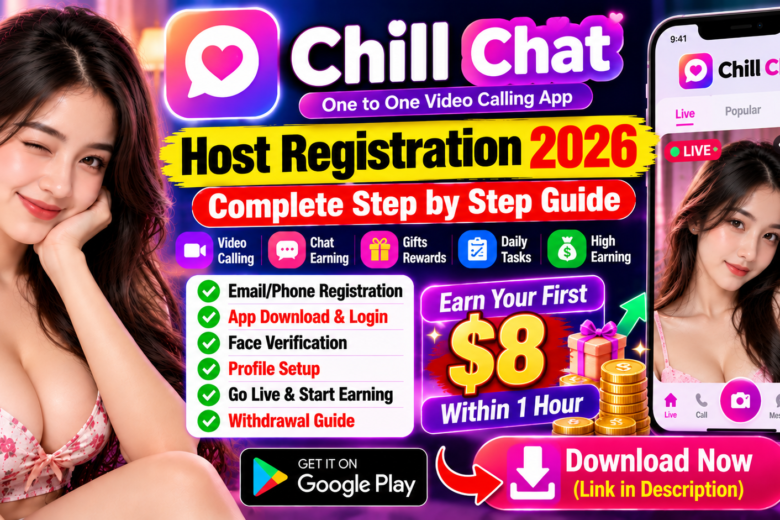
Chill Chat Host Registration 2026 – Complete Account & Profile Setup Guide
If you are looking for a complete guide on Chill Chat Host Registration 2026, this article will walk you through the registration process, app login, face verification, profile setup, going live and the basic earning process.
According to the registration process described in the supplied guide, new hosts can first complete a pre-registration using either a phone number or email address. After completing the initial registration, users can download the Chill Chat application, log in, complete face verification and finish their host profile.
This guide explains the entire Chill Chat Host Registration process step by step.
Important: Earnings, eligibility, host requirements, platform features and withdrawal rules can change. Any earning example should not be considered guaranteed income.
What Is Chill Chat?
Chill Chat is a social live-streaming and communication platform where eligible hosts can interact with users through live streams and calls.
Hosts can create a profile, select languages and interests, write a self-introduction and use the live feature to interact with their audience.
Depending on the current platform rules, hosts may receive calls, gifts or other forms of platform-supported rewards.
Chill Chat Host Registration 2026
The Chill Chat host registration process has several stages:
- Complete pre-registration.
- Register using email or phone number.
- Download the Chill Chat app.
- Log in using the same account.
- Select gender.
- Select preferred language.
- Complete face verification.
- Upload a profile photo.
- Create a nickname.
- Add another language if applicable.
- Select profile tags.
- Write a self-introduction.
- Start your first live stream.
- Build your earnings according to the platform’s current rules.
Chill Chat Host Registration Requirements
Before starting, keep the following ready:
- Active email address or phone number
- Email verification access
- Mobile phone
- Clear profile photograph
- Camera access
- Good lighting for face verification
- Basic profile information
- Preferred language
- Short self-introduction
Make sure all information and photographs belong to you and comply with Chill Chat’s current rules.
How to Register as a Chill Chat Host
Step 1: Open the Chill Chat Registration Page
Open the current Chill Chat host registration page or registration link provided by your agency or official source.
Look for the available registration options.
You may see options for:
- Phone number
- Email address
Choose whichever registration method is currently available.
Step 2: Register With Email
If you choose email registration, enter your email address in the first field.
You may then see an image verification or CAPTCHA-style code.
Enter the displayed verification code.
The registration page may also ask for an email verification code.
Step 3: Get the Email Verification Code
Tap the Send button to request a verification code.
Open your email inbox and find the verification message.
Copy the verification code and enter it into the registration page.
After all required fields are completed, tap Register.
Your pre-registration is now complete.
Step 4: Download the Chill Chat App
After completing the initial registration, you may be redirected to the Chill Chat app download page.
Tap the download option and install the application.
If the app is available through Google Play, use the official Play Store listing. If another download method is provided, verify the source before installing.
Always check the application developer and requested permissions before installation.
Step 5: Allow Required Permissions
When you first open Chill Chat, the application may request permissions required for features such as:
- Camera
- Microphone
- Notifications
- Other app functions
Review the permissions carefully and allow only those that are necessary for the features you want to use.
Step 6: Log In to Your Chill Chat Account
From the main screen, open the More section.
Select Gmail/email as your login method if that is how you registered.
Enter the same email address used during pre-registration.
Tap Next.
A verification code may be sent to your email.
Open your inbox, copy the verification code and enter it into the app.
Tap Next to continue.
Step 7: Select Your Gender
After logging in, the application may ask you to select your gender.
Choose the correct option and tap Confirm.
Only provide truthful information that complies with Chill Chat’s registration requirements.
Step 8: Select Your Preferred Language
Next, choose your preferred language.
Selecting languages you actually speak can help the platform understand which users may be suitable for your profile.
Select the appropriate language and tap Confirm.
Chill Chat Face Verification
Face verification may be an important part of the Chill Chat host setup process.
If face verification is required for your account, complete it before attempting to use host or live features.
How to Complete Chill Chat Face Verification
Follow the instructions shown inside the application:
- Open your profile.
- Find the face-verification option.
- Tap Start Verification.
- Allow camera access if required.
- Follow the instructions displayed on the screen.
- Move your face as instructed.
- Complete the verification.
Make sure you are in a well-lit environment and your full face is clearly visible.
Follow the on-screen instructions carefully until verification is completed.
Chill Chat Profile Setup
After completing verification, the next step is to create your Chill Chat host profile.
A complete profile can help users understand who you are and what type of content or conversation they can expect.
Upload Your Chill Chat Profile Photo
Go to:
My Profile → My Avatar
Tap the + button and upload your photograph.
Use a clear, genuine and good-quality photograph.
Avoid misleading photographs, excessive editing or someone else’s image.
Create a Chill Chat Nickname
Go to your profile and find the nickname option.
Choose a username that is:
- Easy to remember
- Clean
- Simple
- Appropriate
- Related to your personality or content
Avoid confusing symbols or misleading information.
Add a Second Language
Chill Chat may allow hosts to add another language to their profile.
Adding languages you genuinely speak can help the platform understand which users may be able to communicate with you.
Do not list a language that you cannot communicate in.
Select Profile Tags
Chill Chat may also provide profile tags based on interests or personality.
Choose tags that accurately represent your interests.
Relevant tags can help categorize your profile and connect you with potentially interested users.
Write a Good Self-Introduction
Your self-introduction is another important part of your Chill Chat profile.
Keep it short, friendly and genuine.
For example:
“Hi everyone! I enjoy meeting new people, chatting about different topics and spending time with friendly people. Feel free to say hello and let’s have a great conversation!”
Avoid making unrealistic earning promises or misleading claims in your profile.
How to Go Live on Chill Chat
Once your account and required verification are complete, you can use the live feature if it is available to your account.
The general process is:
- Open the Chill Chat home screen.
- Tap the + button at the bottom.
- Select Live.
- Add a live-stream title.
- Select available filters if required.
- Check your camera and microphone.
- Tap Go Live.
Your live session will then begin.
Chill Chat Host Earning Methods
The exact earning system can vary by region, account type and current platform policies.
Potential earning opportunities may include:
- Live streaming
- Calls
- Gifts
- User interaction
- Platform rewards
New hosts may receive calls or interactions from users, but the amount of activity and earnings is not guaranteed.
Actual earnings depend on factors such as audience engagement, activity, platform rules and applicable reward rates.
Can Chill Chat Hosts Earn Quickly?
Earning potential depends on the host’s activity, audience engagement, calls, gifts, rewards and current platform rules.
There is no guaranteed hourly income.
Do not rely on claims of a fixed amount of money per hour unless the current Chill Chat platform officially confirms that rate for your account and region.
Chill Chat Withdrawal
After earning through the platform, hosts may need to configure a withdrawal or payment account.
Before withdrawing, check the current Chill Chat app for:
- Minimum withdrawal requirement
- Available payment methods
- Account verification requirements
- Processing time
- Applicable fees
- Currency conversion
- Regional eligibility
These details may change over time.
Tips for a Better Chill Chat Host Profile
Use a Clear Profile Photo
Choose a high-quality photograph where your face is clearly visible.
Complete Your Profile
Add your nickname, languages, interests and introduction.
Be Consistent
If you want to build an audience, maintain a consistent streaming schedule where possible.
Communicate Respectfully
Treat users respectfully and follow Chill Chat’s community rules.
Use Accurate Information
Never use fake photographs, false identities or misleading profile information.
Follow Platform Guidelines
Always follow the latest Chill Chat terms, community guidelines and host requirements.
Chill Chat Host Registration – Important Safety Tips
When creating an account or downloading an application, keep your account security in mind.
Protect Your Verification Codes
Never share your email or SMS verification code with another person.
Use a Secure Email
Use an email account that you control and protect it with a strong password.
Verify Download Sources
Only download Chill Chat from an official or trusted source.
Review Permissions
Check camera, microphone and notification permissions before allowing them.
Be Careful With Payment Information
Only add payment details through the official application or a verified payment process.
Frequently Asked Questions
How do I register as a Chill Chat host?
Start by completing the available Chill Chat host registration using an email address or phone number, then download the app, log in, complete verification and finish your host profile.
Can I register with email?
If email registration is available on the current Chill Chat registration page, you can use your email address to create the account.
Is face verification required for Chill Chat hosts?
Face verification may be required before using certain host or live features. Check the current application for the exact requirement.
How do I complete Chill Chat face verification?
Open your profile, find the face-verification option, tap Start Verification and follow the camera instructions displayed by the application.
How do I upload my Chill Chat profile photo?
Go to My Profile → My Avatar, tap the plus button and upload a clear photograph.
Can I add another language?
If the feature is available on your account, you can add another language that you genuinely speak.
How do I go live on Chill Chat?
From the home screen, tap the + button, select Live, configure your stream and tap Go Live.
How much can a Chill Chat host earn?
There is no guaranteed income amount. Earnings depend on user engagement, calls, gifts, rewards, activity and current platform rules.
How can I withdraw Chill Chat earnings?
Withdrawal options depend on your current Chill Chat account and region. Check the withdrawal section in the app for the latest requirements and available payment methods.
Final Words
The Chill Chat Host Registration 2026 process involves account registration, app installation, login, gender and language selection, face verification and complete profile setup.
After completing these steps, eligible hosts can use the available live features and interact with users according to Chill Chat’s current platform rules.
A good profile should contain a clear photograph, suitable nickname, accurate language information, relevant tags and a friendly self-introduction.
Most importantly, Chill Chat earnings are not guaranteed. Rates, rewards, eligibility and withdrawal rules can change, so always check the latest information in the official application before making decisions based on earning claims.
If you found this Chill Chat Host Registration Guide useful, share it with others who want to learn how to create and set up a Chill Chat host account.